AI video that hits its marks.
Stage the scene with blocky stand-ins — who stands where, how the camera moves. The studio turns your blocking into finished footage that actually follows your direction.
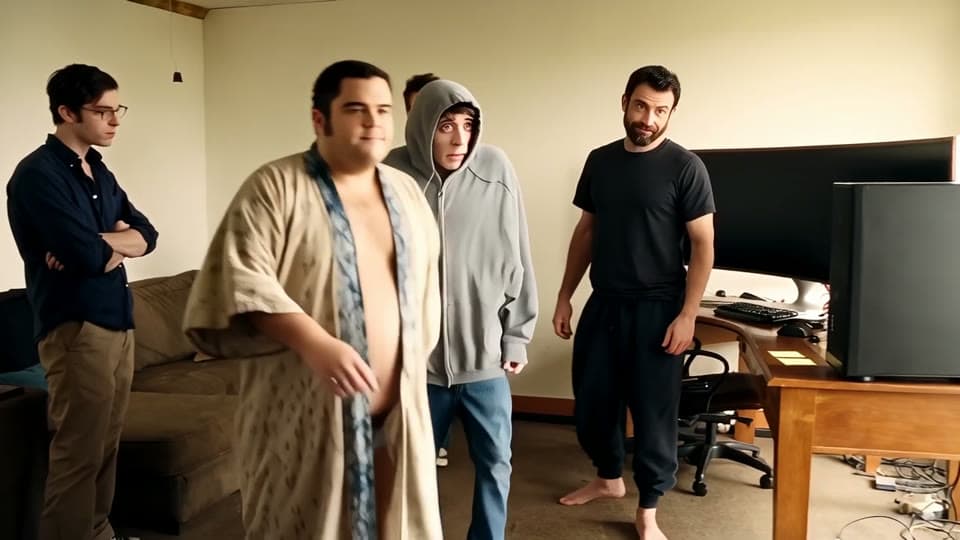
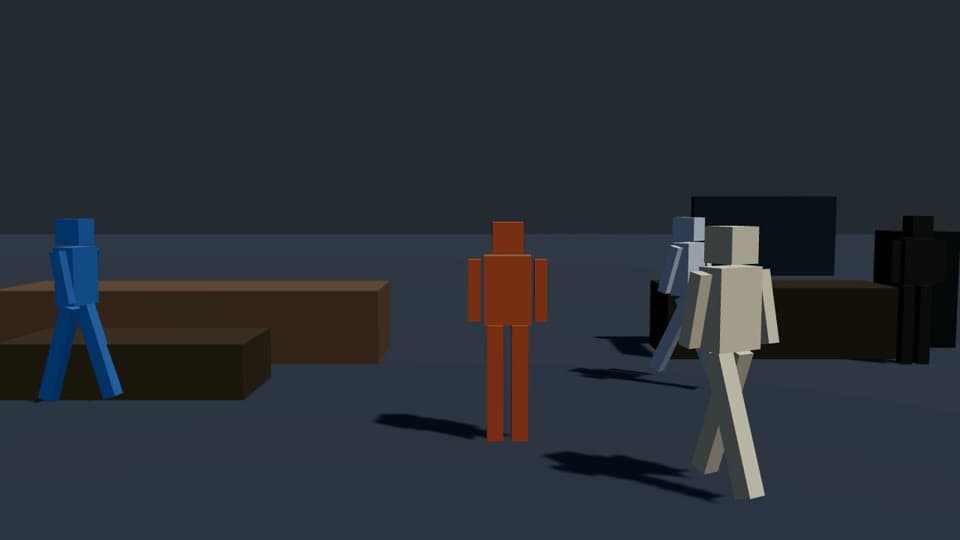 BLOCKING — WHAT YOU STAGERENDER — WHAT YOU GET
Direct in three moves.
Stage it with stand-ins
Type a scene and get a blocked 3D draft, or place figures yourself. Drag people, set marks, keyframe the camera.
person#2 → center · hold 4sStack the context
Your camera move and beat-sheet are read straight out of the scene. Add a cast bible and style refs on top.
CAMERA: 55mm, push-in · CAST: lockedOne button, routed right
The studio picks the right video model for your inputs — and chains a 4K upscale when you ask for it.
Wan 2.7 Edit → Topaz 4KPrompting is guessing. Blocking is directing.
The camera obeys
Lens, distance, push-ins, holds — extracted from your 3D scene as ground truth, not described and hoped for.
A cast that stays cast
Character bible: define a face, wardrobe, and reference sheet once — every shot carries the same identity locks.
Your key, your costs
Bring your own Venice API key. Renders bill to your Venice account at cost — the studio never marks up inference.
Direct from Claude
Connect your own Claude app and direct by chat: “block me a chase scene and render it photoreal.” Same board, same takes.
Your first render in ten minutes.
Sign in, paste your Venice key, type a scene.
Start directing →